AR Automation
Turn invoice PDFs into clean journal output.
Upload invoices, run server-side Gemini extraction, review mapping logic, and export Excel in one pass.
1. Mapping DB
2. Upload + Parse
3. Review Fields
4. Export to Excel
Step 1
Mapping Database
Mapping Database
Pre-seeded for demo mode.
Clients (5 seeded)
GL Mappings
Step 2
Upload Invoices
Upload Invoices
Live processing disabled
No files selected.
Idle.
Step 3
Parsed Invoice Fields
Parsed Invoice Fields
Step 4
Journal Output Preview
Journal Output Preview
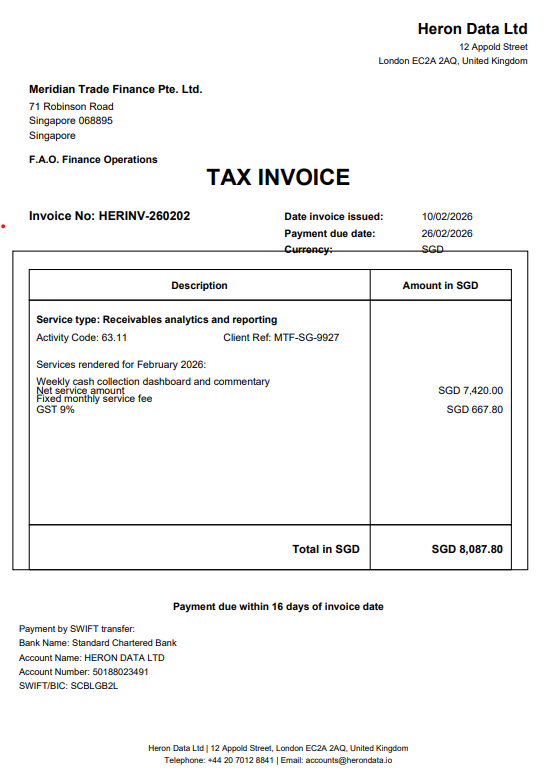
Sample run View a completed invoice flow using mock output from AR_Invoice_HERINV-260202_SGD.pdf
This section stays available when live Gemini processing is disabled.
Step 2
Upload Invoices
Loading sample invoice...
Loading sample run...
Step 3
Parsed Invoice Fields
Step 4